How to effectively use the Aquaponics Toolkit on site at your farm
We're excited that we are constantly moving towards less and less time on our mobile devices. We carefully designed the Aquaponics Toolkit with this in mind. The Aquaponics Toolkit (available on iOS and Android app stores) is an app that has been streamlined for primarily: data entry, quick research, and calculators.
In case you're wondering...
The mobile app is not designed to perform all the functions of the dashboard. It is designed with these use cases in mind while you're at the farm:
- I need to record this... Open the app and hit record.
- What was that disease again? Open the app and research.
- I need to fix my flow rates... Open the app and start the timer.
- I need to walk through/check off my SOP Open the project checklist on the app and start checking stuff off-- like a boss.
If you're looking to do deep analysis you'll definitely want to use the dashboard
Data Entry
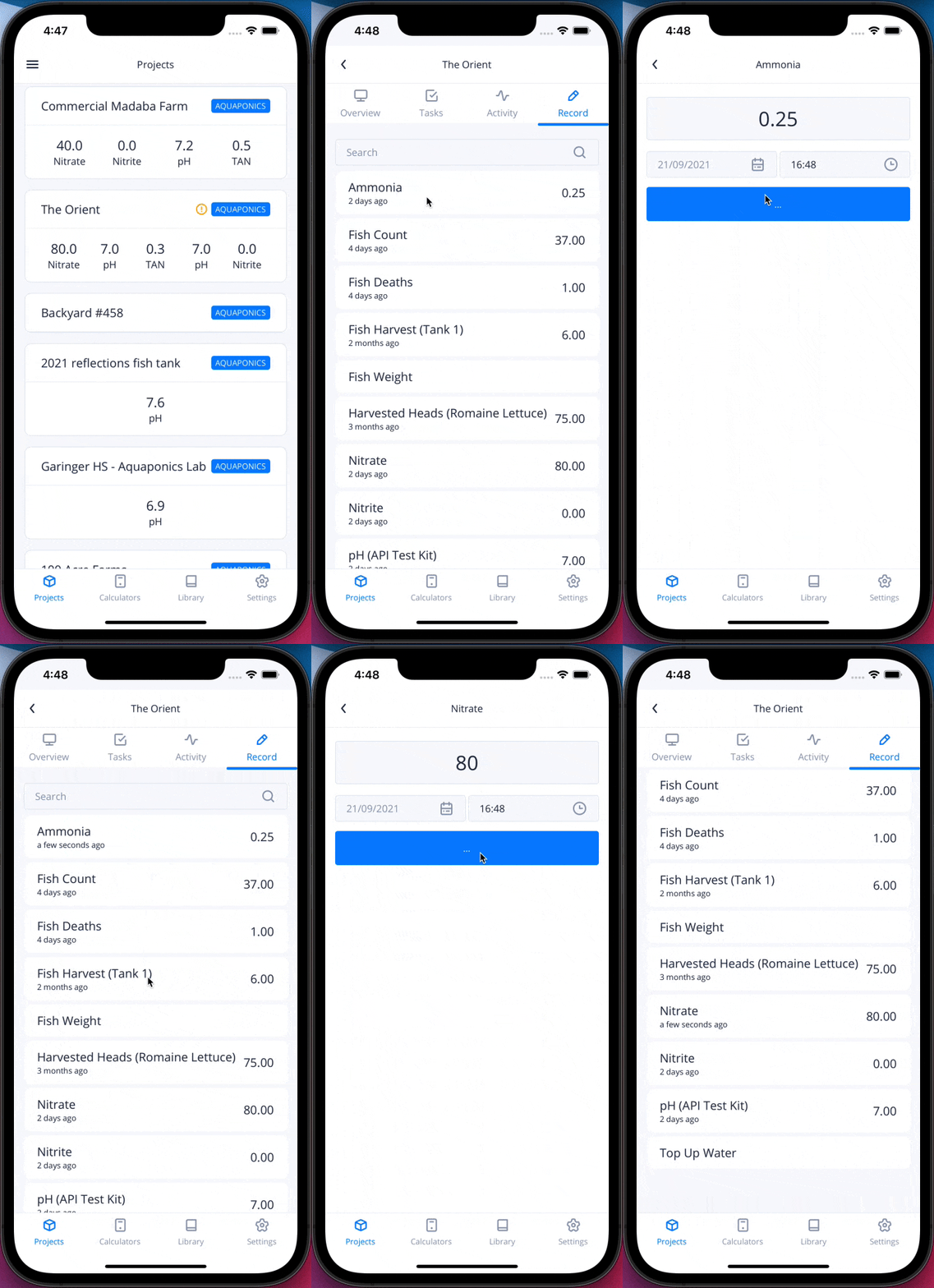
Entering data could not be more simple.
- Go to the
Projectsin the bottom navigation - Select your project
- Go to
Record - Tap the metric you want to record
Research
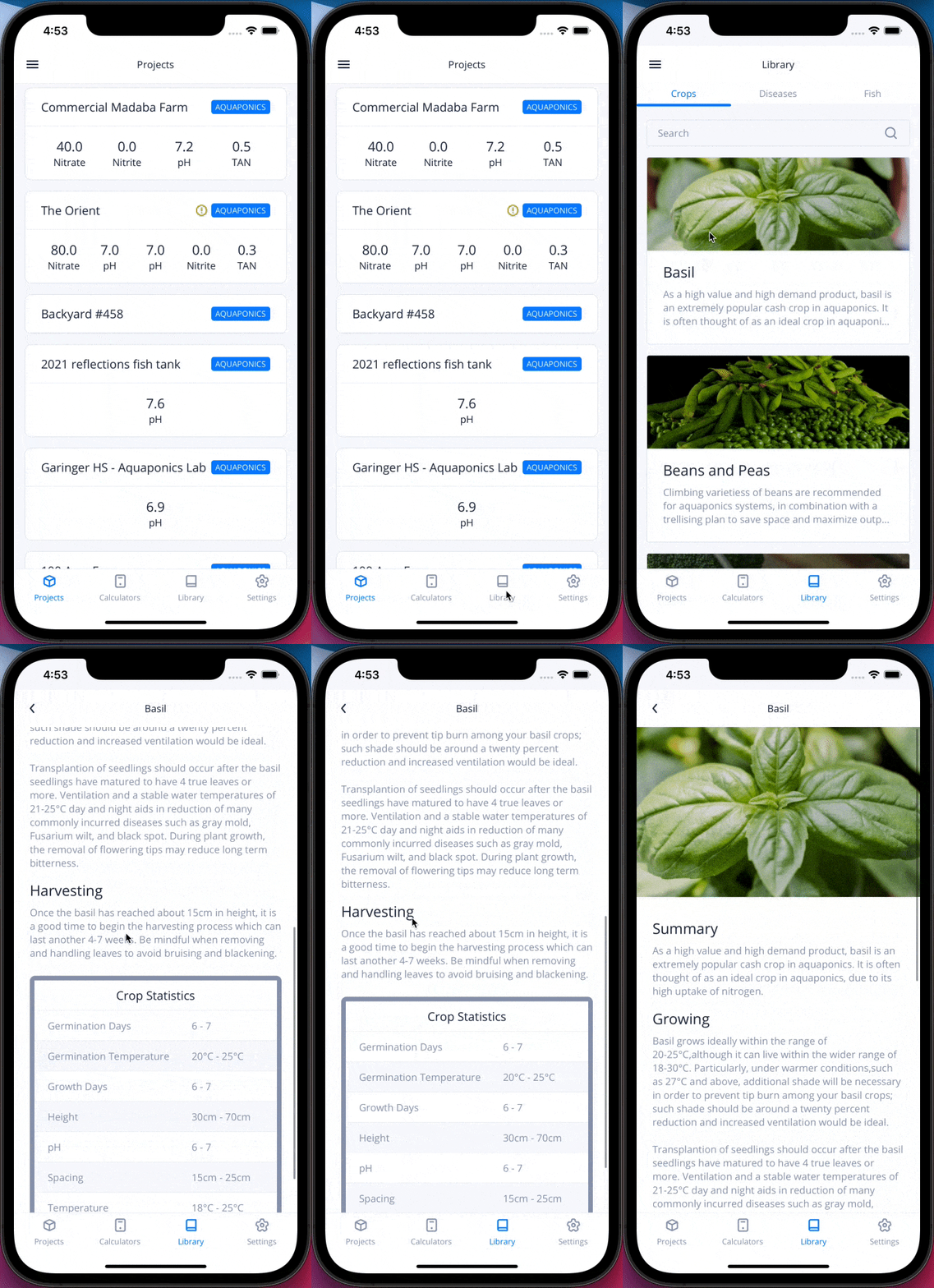
You probably know what you need to know. However, sometimes you need to refresh your memory or do a little recon. Just simply tab the Research button in the bottom navigation to take you to our research library.
Calculators
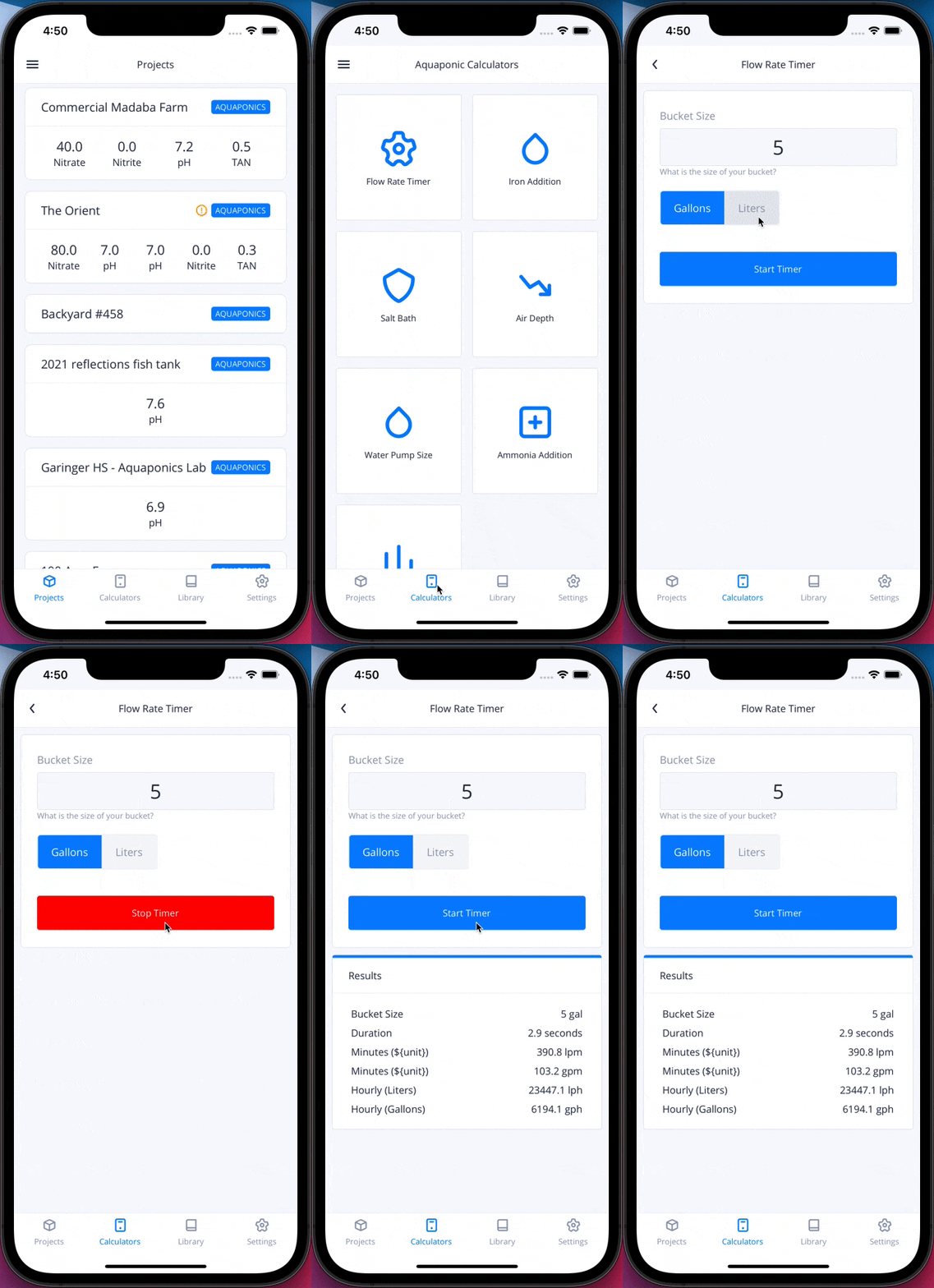
We've included a number of calculators to be your farmhand while you're at the farm. You'll find them in the Calculators tab in the bottom navigation. Our most popular one is the flow rate timer. Here is how you can use it:
- Put a 5 gallon bucket under the outlet of your Media Bed
- Start the timer & water flow
- When the bucket fills up, stop the timer
Instantly your flow rate will pop up and you'll never need to do those weird calculations again.